
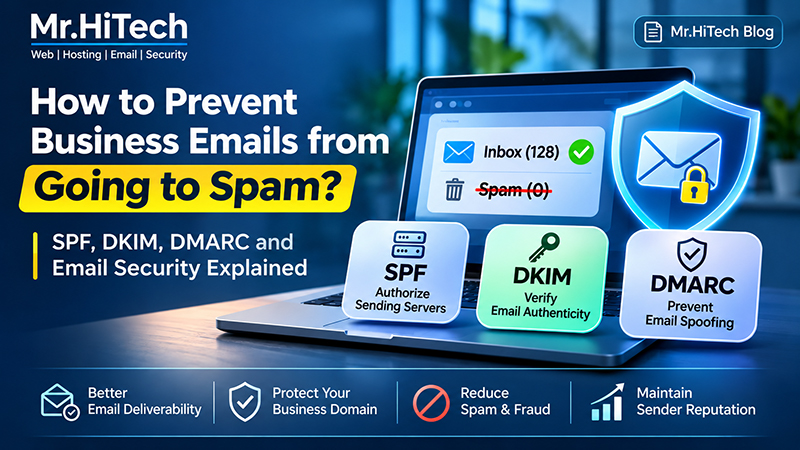
How to Prevent Business Emails from Going to Spam: SPF, DKIM, DMARC and Email Security Explained
Business Email Security in Indore also involves improving email deliverability so that important business messages reach customers’ inboxes instead of their spam folders.
Are your business emails landing in Gmail Spam, Outlook Junk or getting rejected by recipients? Email delivery problems can affect customer communication, business enquiries, quotations, invoices and important company correspondence.
For businesses using professional email addresses such as info@yourcompany.com, reliable email delivery is essential.
If your company emails are frequently going to spam or failing to reach customers, the problem may be related to incorrect DNS configuration, missing email authentication records, server reputation, IP blacklisting or email sending practices.
Mr.HiTech provides business email security and configuration assistance in Indore and across Madhya Pradesh, helping businesses improve email authentication, troubleshoot email delivery issues and maintain reliable business email communication.
In this guide, we explain SPF, DKIM, DMARC, blacklist checks, mail server reputation and other important factors that can affect business email delivery.
Why Are Business Emails Going to Spam?
Many businesses assume that purchasing professional email hosting is enough to ensure their emails reach the recipient’s inbox.
However, email delivery depends on several technical and reputation-related factors.
Even if your email account is working correctly, outgoing emails may land in Spam or Junk folders if the receiving mail server cannot properly authenticate or trust the sending domain.
Some common reasons include:
- Missing or incorrectly configured SPF records.
- DKIM authentication not enabled or failing.
- Missing or incorrectly configured DMARC records.
- Sending emails from blacklisted IP addresses.
- Poor mail server IP reputation.
- Incorrect reverse DNS (PTR) records.
- Sending large volumes of unsolicited emails.
- High bounce rates and spam complaints.
- Suspicious email content or attachments.
- Compromised email accounts sending unwanted messages.
For businesses in Indore and across Madhya Pradesh, these issues can affect communication with customers, suppliers, banks, vendors and business partners.
1. Configure SPF Records to Authenticate Your Business Email
SPF stands for Sender Policy Framework.
It is an email authentication mechanism that allows a domain owner to specify which mail servers and services are authorized to send emails using their domain.
For example, suppose your company uses:
Your business email hosting server sends emails on behalf of your domain.
An SPF record helps receiving mail servers verify whether the sending server is authorized by your domain’s published SPF policy.
Why Is SPF Important?
Without a properly configured SPF record, receiving mail servers may have difficulty verifying whether an email originated from an authorized sending server.
SPF helps:
- Identify authorized email sending servers.
- Reduce unauthorized email spoofing.
- Improve domain-level email authentication.
- Support DMARC authentication.
- Reduce certain types of fraudulent email activity.
Example of an SPF Record
A simplified SPF record may look like this:
v=spf1 ip4:203.0.113.10 include:_spf.google.com ~all
This example authorizes a particular IPv4 address and Google’s designated sending infrastructure.
Important: The IP address and included sending services must match your actual email infrastructure. The example above uses a documentation-only IP address and must not be copied directly into a live domain.
Common SPF Configuration Mistakes
Some common mistakes include:
- Publishing multiple SPF TXT records for the same domain.
- Forgetting to authorize an additional email sending service.
- Incorrectly configuring server IP addresses.
- Exceeding SPF’s DNS lookup limit.
- Using an incorrect
includemechanism. - Keeping outdated sending services in the SPF record.
If your business uses multiple email platforms, such as web hosting email, Titan Email and Google Workspace, your SPF configuration must account for the actual services authorized to send mail for your domain.
You should maintain a single SPF policy record for each domain.
2. Enable DKIM Authentication for Outgoing Emails
DKIM stands for DomainKeys Identified Mail.
It allows an outgoing email to carry a cryptographic signature that receiving mail servers can verify using a public key published in your domain’s DNS records.
In simple terms, DKIM helps verify that an email was signed by an authorized sending system and that signed portions of the message have not been modified in transit.
How Does DKIM Work?
The basic process involves two components:
- The outgoing mail server signs the email using a private cryptographic key.
- The receiving mail server retrieves the corresponding public key from your domain’s DNS records and verifies the signature.
If verification succeeds, the receiving server can confirm that the DKIM signature is valid.
Why Is DKIM Important?
DKIM helps:
- Verify the authenticity of signed emails.
- Detect unauthorized modifications to signed message content.
- Establish trust in your sending domain.
- Support DMARC authentication.
- Reduce certain email spoofing and impersonation risks.
Example of a DKIM DNS Record
A DKIM DNS record generally uses a selector followed by your domain name.
For example:
selector1._domainkey.yourcompany.com
The corresponding TXT record contains the public key and other DKIM information.
The actual selector and record value depend on your email hosting provider.
Titan Email, Google Workspace and other email hosting platforms provide their respective DKIM configuration instructions.
Important: Publishing a DKIM DNS record alone is not sufficient. DKIM signing must also be enabled and correctly configured on the outgoing email service.
3. Configure DMARC to Protect Your Business Domain
DMARC stands for Domain-based Message Authentication, Reporting and Conformance.
It works with SPF and DKIM to help receiving mail servers determine how to handle emails that fail domain authentication checks.
DMARC also provides reporting facilities that help domain owners understand how their domains are being used for sending emails.
Why Is DMARC Important?
Imagine someone attempts to send fraudulent emails pretending to be:
Without appropriate email authentication and enforcement policies, attackers may attempt to impersonate your business domain.
DMARC helps receiving mail servers evaluate whether the email passes the required authentication and domain alignment checks.
It can also help businesses identify unauthorized email sources through available reports.
Example of a DMARC DNS Record
A basic monitoring policy may look like this:
v=DMARC1; p=none; rua=mailto:dmarc@yourcompany.com
This example requests aggregate reporting while asking receiving systems not to apply a DMARC quarantine or rejection policy based on DMARC failure.
Understanding DMARC Policies
There are three commonly used DMARC policy values:
1. p=none
The receiving server is requested not to apply a DMARC-specific quarantine or rejection policy.
This is useful when initially monitoring email authentication and identifying legitimate sending sources.
2. p=quarantine
Messages failing DMARC evaluation are requested to be treated as suspicious, commonly by placing them in Spam or Junk.
3. p=reject
Messages failing DMARC evaluation are requested to be rejected.
Which DMARC Policy Should Your Business Use?
For a new domain or an existing domain without DMARC monitoring, starting with p=none is generally a safer approach.
Monitor reports, identify legitimate sending platforms, correct authentication issues and verify alignment before moving towards stricter policies.
Do not immediately switch to p=reject without understanding all the services sending emails on behalf of your domain.
Otherwise, legitimate business emails may be affected.
4. Check Whether Your Mail Server IP Is Blacklisted
Another common reason for email delivery problems is IP address blacklisting.
Email receiving services use different reputation systems and blocklists to identify IP addresses associated with spam, malware distribution or suspicious sending behaviour.
If your outgoing mail server IP appears on a relevant blocklist, some receiving mail servers may reject your emails or place them in Spam.
What Causes an IP Address to Get Blacklisted?
Common reasons include:
- Sending unsolicited bulk emails.
- Compromised email accounts sending spam.
- Malware-infected websites sending unwanted messages.
- Poor email list management.
- High spam complaint rates.
- Shared hosting IP reputation problems.
- Misconfigured mail servers.
- Previous abuse associated with a hosting IP address.
How to Perform an Email Blacklist Check
An email blacklist check helps identify whether your sending IP address or mail server has been listed by spam monitoring services.
You should periodically check your outgoing mail server IP against relevant public DNS-based blocklists and reputation services.
Some useful tools include:
MXToolbox
https://mxtoolbox.com/blacklists.aspx
Useful for checking whether an IP address or domain appears on supported email-related blocklists.
Spamhaus
Provides information about listings in Spamhaus blocklists and relevant remediation guidance.
MultiRBL
Allows checking IP addresses against multiple supported DNS-based blocklists.
What Should You Do If Your Server IP Is Blacklisted?
If your server IP appears on a blacklist:
- Identify the specific blacklist.
- Check the reason for the listing.
- Investigate outgoing mail logs.
- Identify compromised accounts or scripts.
- Stop unauthorized email sending.
- Correct server configuration and security problems.
- Follow the blacklist provider’s delisting procedure where appropriate.
Important: Do not simply request removal without fixing the underlying issue. If the source of unwanted emails remains active, your IP address may be listed again.
5. Configure Reverse DNS (PTR) Records Correctly
Reverse DNS is another important part of mail server configuration.
A reverse DNS lookup maps an IP address back to a hostname.
For example:
Mail server hostname:
mail.yourcompany.com
Outgoing server IP:
203.0.113.10
The IP address should have an appropriate PTR record pointing to the mail server hostname.
Ideally, the mail server hostname should also resolve back to the same IP address through its forward DNS record.
This is commonly referred to as forward-confirmed reverse DNS.
Why Is Reverse DNS Important?
Some receiving mail servers use reverse DNS information when evaluating incoming connections.
Incorrect or missing PTR records can cause email delivery problems or reduce confidence in the sending infrastructure.
For businesses operating their own VPS or dedicated mail servers, correct reverse DNS configuration is particularly important.
Unlike ordinary DNS records, reverse DNS records for a server IP are generally configured through the IP address provider or hosting company.
6. Maintain Good Mail Server Reputation
Even if SPF, DKIM and DMARC are correctly configured, your emails can still land in Spam.
Why?
Because email authentication is only one part of email deliverability.
Receiving mail servers also consider sending behaviour, IP and domain reputation, recipient complaints and other filtering signals.
Factors That Affect Email Reputation
Sending volume
Sudden increases in email volume can appear suspicious, particularly when a domain or IP address has little established sending history.
Bounce rates
Sending emails to invalid or non-existent addresses can negatively affect sending reputation.
Spam complaints
If recipients repeatedly mark your messages as Spam, receiving systems may become less willing to deliver your emails to their inboxes.
Compromised email accounts
An account sending hundreds or thousands of unauthorized emails can damage the reputation of your domain or outgoing mail server.
Shared IP reputation
On shared hosting platforms, multiple customers may send emails using the same outgoing IP address. Problems caused by one sender can potentially affect other customers sharing that IP.
Best Practices for Maintaining Email Reputation
- Send emails only to legitimate recipients.
- Remove invalid addresses from mailing lists.
- Avoid purchasing email lists.
- Secure business email accounts with strong passwords.
- Enable two-factor authentication where available.
- Monitor outgoing mail queues and server logs.
- Investigate unusual sending activity.
- Avoid unnecessary bulk email campaigns through ordinary business mailboxes.
7. Monitor Your Email Delivery and SMTP Logs
For businesses running their own mail servers or VPS infrastructure, monitoring SMTP logs is an important part of troubleshooting.
A message may fail because of incorrect DNS records, authentication failures, recipient-side rejection, connection problems or sending server reputation.
Simply checking whether an email exists in the Sent folder does not confirm that it reached the recipient’s inbox.
Common SMTP Delivery Errors
Some examples include:
550 5.7.1 – Message rejected
The receiving server has rejected the message due to a policy or filtering decision. The exact reason depends on the accompanying response text.
550 5.7.26 – Unauthenticated email
Gmail may use this response when a message fails its applicable authentication requirements.
421 – Temporary server error
The receiving server is temporarily unable to process the message. A sending server may retry delivery later.
554 – Transaction failed
This is a general SMTP rejection code. The accompanying diagnostic text is necessary to identify the actual reason.
What Should Be Checked?
When investigating email delivery problems, check:
- Postfix or other MTA logs.
- SMTP delivery responses.
- SPF authentication results.
- DKIM signature verification.
- DMARC alignment and policy results.
- Mail queue status.
- Server IP reputation.
- DNS and reverse DNS configuration.
- Spam filtering and security software logs.
For example, administrators running Postfix can examine the mail log to identify rejected, deferred, bounced and delivered messages.
These records can help determine whether the problem originates from the sending server or the receiving mail provider.
8. Email Security for Businesses Using Titan Email and Google Workspace
Not every business needs to operate its own mail server.
Many companies prefer managed email hosting because the email platform handles much of the underlying infrastructure.
However, domain authentication and DNS configuration are still important.
Titan Business Email
Businesses using Titan Email should ensure that the required DNS records are correctly configured.
This includes:
- MX records for incoming email delivery.
- SPF configuration for authorized senders.
- DKIM authentication.
- DMARC policy and reporting.
Titan Email can be accessed through webmail and compatible email applications such as Microsoft Outlook.
Explore Titan Business Email Hosting by Mr.HiTech.
Google Workspace
Google Workspace provides Gmail for business with your own domain.
It also supports email authentication mechanisms such as SPF, DKIM and DMARC.
Businesses should configure the authentication records according to Google’s current instructions and any additional services authorized to send emails using their domain.
Explore Google Workspace Solutions by Mr.HiTech.
Business Email Through Web Hosting
Businesses using email accounts included with web hosting plans should also pay attention to email authentication and server reputation.
Correct MX, SPF, DKIM and DMARC configuration, along with appropriate server maintenance, can help improve email security and deliverability.
If your business uses multiple email platforms, make sure your DNS records reflect all legitimate sending services.
9. Business Email Security Checklist
If your company wants to reduce email delivery problems and protect its business domain, use this checklist.
- SPF record configured correctly.
- DKIM signing enabled.
- DMARC record published.
- SPF and DKIM alignment verified.
- Mail server IP checked against relevant blocklists.
- Reverse DNS (PTR) configured correctly.
- Mail server hostname resolves correctly.
- SMTP authentication configured.
- SSL/TLS enabled for supported mail connections.
- Business email accounts protected with strong passwords.
- Two-factor authentication enabled where available.
- Outgoing mail logs monitored.
- Suspicious email sending activity investigated.
- Email authentication reports reviewed periodically.
Following these practices can improve your email security posture and help identify potential delivery problems before they affect important business communication.
10. Business Email Security and Configuration Services in Indore
Email delivery issues can be frustrating, especially when customers are waiting for quotations, invoices, payment confirmations or important business updates.
Mr.HiTech provides business email hosting, email configuration and technical assistance for businesses in Indore and across Madhya Pradesh.
Our email-related services include:
- Business email hosting.
- Titan Enterprise Email hosting.
- Google Workspace configuration.
- SPF, DKIM and DMARC configuration.
- DNS and MX record setup.
- Mail server blacklist checks.
- Email deliverability troubleshooting.
- SMTP configuration and testing.
- Reverse DNS assistance.
- Mail server security checks.
- Email account migration assistance.
- Technical guidance for business email infrastructure.
Whether you use hosted business email or operate your own VPS mail server, proper configuration and monitoring are important for reliable email communication.
Business Email Security Services Across Madhya Pradesh
Mr.HiTech provides email hosting and technical assistance to businesses in Indore and nearby regions, including:
- Indore
- Dewas
- Ujjain
- Pithampur
- Mhow
- Bhopal
- Ratlam
- Dhar
- Other locations across Madhya Pradesh
Businesses can contact us for assistance with email authentication, DNS configuration, blacklist checks and email delivery troubleshooting.
Frequently Asked Questions About Business Email Security
1. Why are my business emails going to Gmail Spam?
Emails may land in Gmail Spam due to authentication failures, poor domain or IP reputation, suspicious sending behaviour, spam complaints or other filtering signals.
Check SPF, DKIM and DMARC configuration first, followed by your mail server reputation and sending practices.
2. Does SPF prevent emails from going to Spam?
SPF helps receiving mail servers verify whether the sending server is authorized by your domain. However, SPF alone cannot guarantee inbox delivery.
DKIM, DMARC, sending reputation and other factors also matter.
3. What is the difference between SPF, DKIM and DMARC?
SPF identifies authorized sending infrastructure, DKIM verifies cryptographic email signatures, and DMARC uses SPF and DKIM authentication results with domain alignment to communicate the domain owner’s policy to receiving mail servers.
Together, they provide an important email authentication framework.
4. Is DMARC necessary for business email?
DMARC is strongly recommended for business domains because it helps protect against domain impersonation and provides reporting about authentication results.
It is especially important for organizations sending emails to Gmail, Outlook and other major email providers.
5. How can I check whether my email server is blacklisted?
You can use services such as MXToolbox, Spamhaus and MultiRBL to check supported blocklists.
If a listing is found, investigate the reason before requesting removal.
6. Can a blacklisted IP affect all business email accounts on my server?
Yes. If multiple email accounts send outgoing messages through the same server IP, a reputation problem affecting that IP can potentially impact delivery for all those accounts.
7. Does Google Workspace require SPF, DKIM and DMARC?
Google recommends email authentication for sending domains. It requires SPF or DKIM for all senders and SPF, DKIM and DMARC for bulk senders under its sender guidelines.
Businesses should configure all three wherever possible.
8. Can emails still go to Spam even when SPF, DKIM and DMARC pass?
Yes. Authentication does not guarantee inbox placement. Receiving providers also consider domain reputation, IP reputation, recipient engagement, spam complaints, content and other filtering signals.
9. What is reverse DNS in email hosting?
Reverse DNS maps an IP address to a hostname through a PTR record. Proper reverse DNS configuration is an important part of maintaining a correctly configured outgoing mail server.
10. Can Mr.HiTech help configure SPF, DKIM and DMARC?
Yes. Mr.HiTech provides DNS and email authentication configuration assistance for businesses using compatible email hosting services and mail servers.
11. Do you provide business email security services outside Indore?
Yes. Mr.HiTech provides business email hosting and technical assistance to customers in Indore, Madhya Pradesh and other parts of India.
Protect Your Business Emails with Mr.HiTech
Are your business emails landing in Spam or failing to reach customers?
Don’t ignore email delivery problems. Incorrect DNS records, authentication failures, server reputation issues and compromised email accounts can affect your company’s communication and reputation.
Mr.HiTech can help you review your business email configuration, identify common delivery problems and implement appropriate email authentication and security measures.
Whether you need professional business email hosting, Titan Email, Google Workspace or technical assistance with your existing mail server, we can help.
Explore our services:
Business Email Hosting:
https://www.mrhitech.net/email-hosting
Google Workspace:
https://www.mrhitech.net/google-workspace
Domain Registration:
https://www.mrhitech.net/domain/register-domain
Contact Mr.HiTech
Phone: +91 837-007-1221
Website: https://www.mrhitech.net
Mr.HiTech – Business Email Hosting, Email Security, DNS Configuration and IT Solutions in Indore, Madhya Pradesh.
