
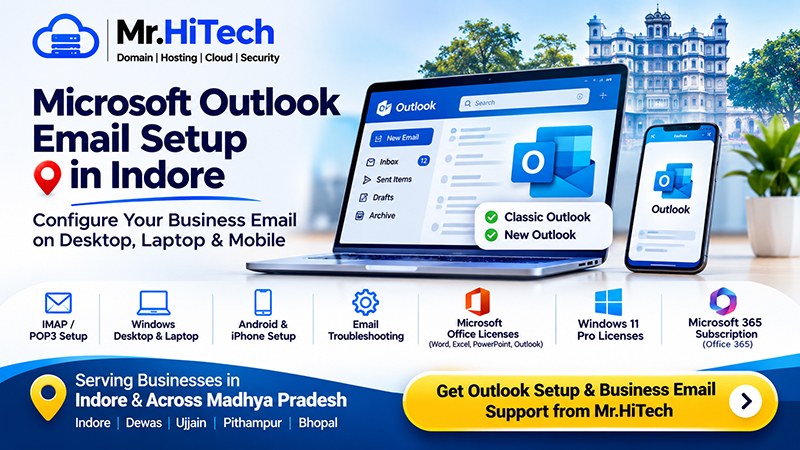
Microsoft Outlook Email Setup in Indore: Configure Your Business Email on Desktop and Mobile
Does your business prefer using Microsoft Outlook instead of accessing emails through a web browser? Many businesses in Indore and across Madhya Pradesh prefer managing their daily email communication through desktop email applications such as Microsoft Outlook.
Whether you use a traditional business email account, Titan Email or Google Workspace, you can configure your professional email address in Microsoft Outlook and access your emails directly from your computer or mobile device.
Mr.HiTech provides Microsoft Outlook email setup and configuration services in Indore, helping businesses configure professional email accounts on Windows computers, classic Outlook, new Outlook and supported mobile applications.
We also assist businesses with business email hosting, Microsoft Office licensing, Microsoft 365 subscriptions and genuine Windows 11 Pro licenses.
If your company needs professional email hosting along with Outlook configuration, Mr.HiTech can help you with the complete setup.
Why Do Businesses Prefer Microsoft Outlook for Business Emails?
Although webmail is convenient, many businesses prefer using a desktop email application for their daily communication.
Microsoft Outlook provides a familiar interface for managing business emails, organizing messages and handling multiple email accounts.
Some common reasons businesses prefer Outlook include:
- Desktop email management: Access business emails directly from your Windows computer.
- Multiple email accounts: Manage different business email addresses from one application.
- Email organization: Create folders, rules and categories to organize incoming messages.
- Offline access: Classic Outlook supports working with previously synchronized emails even when an internet connection is unavailable.
- Calendar and contacts: Manage appointments, contacts and business schedules.
- Professional workflow: Compose emails, attach documents and manage customer communication from a single application.
- Mobile connectivity: Access compatible business email accounts through Outlook applications on smartphones.
For businesses that regularly send quotations, invoices, purchase orders and customer communications, desktop Outlook can be a convenient email management solution.
Microsoft Outlook Email Configuration Services in Indore
Mr.HiTech provides Outlook configuration assistance for businesses and professionals using different email hosting platforms.
Whether you have purchased business email hosting from us or already have an existing compatible email account, we can help configure it in Microsoft Outlook.
Our configuration assistance covers:
- Microsoft Outlook installation and setup, where applicable
- Adding professional business email accounts
- Incoming and outgoing mail server configuration
- IMAP and POP3 configuration
- SMTP authentication
- SSL/TLS email security settings
- Multiple email account configuration
- Email synchronization testing
- Outlook troubleshooting and assistance
We can also help configure business email accounts on Android and iPhone devices.
Which Version of Microsoft Outlook Should Your Business Use?
Microsoft provides different Outlook experiences for Windows and mobile devices.
Businesses should understand the differences before choosing an application.
1. Classic Microsoft Outlook for Windows
Classic Outlook is the traditional desktop email application used by many offices and businesses.
It is particularly useful for companies that prefer a conventional desktop email management experience.
Features include:
- Traditional desktop email interface
- Multiple email account management
- IMAP and POP3 support
- Advanced email organization
- Offline email access
- Calendar and contact management
- PST data file support
- Email rules and advanced configuration options
Classic Outlook is available through eligible Microsoft Office perpetual-license editions and Microsoft 365 subscriptions that include the desktop Outlook application.
If your company already owns a compatible Microsoft Office license, we can assist with installation, activation and email account configuration.
2. New Microsoft Outlook for Windows
Microsoft has introduced a newer Outlook application for Windows with a modern interface and simplified email management.
New Outlook supports various email providers, including business email accounts connecting through IMAP and POP.
Features include:
- Modern email interface
- Multiple email accounts
- IMAP and POP account support
- Email search and organization
- Calendar integration
- Microsoft account integration
- Support for compatible third-party email services
New Outlook is available as a free application for supported Windows users, while certain additional features depend on the account type and Microsoft subscription.
It is a suitable option for businesses that prefer a modern email interface without necessarily purchasing a desktop Office license.
3. Microsoft Outlook for Android and iPhone
Business owners and employees often need access to company emails while travelling or working outside the office.
Microsoft Outlook mobile applications allow users to manage supported email accounts from smartphones.
Features include:
- Business email access
- Multiple account management
- Email notifications
- Attachment viewing
- Calendar access
- Email search and organization
- IMAP account configuration
Mr.HiTech can assist with configuring your professional business email on Android and iPhone devices.
Our recommendation: For businesses using traditional email hosting, IMAP is generally preferable for synchronizing emails across desktop computers and mobile devices.
Classic Outlook vs New Outlook: Which One Is Better?
Both versions allow users to manage professional email accounts, but their features and capabilities are different.
| Feature | Classic Outlook | New Outlook |
|---|---|---|
| Windows desktop application | Yes | Yes |
| Free application option | Depends on license | Yes |
| IMAP support | Yes | Yes |
| POP support | Yes | Yes |
| Multiple email accounts | Yes | Yes |
| Traditional PST support | Yes | Partial support |
| Advanced email rules | Extensive | Some features differ |
| Offline capabilities | Extensive | More limited |
| Traditional Office integration | Extensive | Different integration model |
| Suitable for business email | Yes | Yes |
The choice depends on your company’s workflow, software requirements and existing Microsoft licenses.
For businesses that rely on traditional desktop email features, classic Outlook may be preferable. New Outlook can be suitable for users who need a modern interface and standard email functionality.
Configure Business Email Using IMAP or POP3
One of the most important parts of setting up professional email in Outlook is selecting the appropriate email protocol.
Most business email hosting providers support IMAP and POP3.
What Is IMAP?
IMAP allows your email application to synchronize emails with the email server.
For example, if you configure the same business email account on your office computer and mobile phone, IMAP helps maintain synchronized email folders and message status.
Benefits include:
- Access emails from multiple devices
- Synchronize email folders
- Maintain messages on the server
- Manage emails through Outlook and webmail
- Better suitability for multi-device email access
What Is POP3?
POP3 is another protocol used for retrieving emails from a mail server.
Unlike IMAP, POP3 is primarily designed around downloading emails to an email application. Depending on the configuration, messages may be removed from the server after downloading or retained using the appropriate settings.
POP3 can be suitable for specific desktop email workflows, but it is important to configure it carefully if multiple devices need access to the same mailbox.
IMAP vs POP3: Which Should You Choose?
| Feature | IMAP | POP3 |
|---|---|---|
| Email synchronization | Yes | Limited |
| Multiple devices | Recommended | Requires careful configuration |
| Server-side folders | Yes | Generally no |
| Email stored on server | Yes | Depends on configuration |
| Mobile synchronization | Better suited | More limited |
| Recommended for most businesses | Yes | Specific requirements |
Our recommendation: Choose IMAP for most businesses that want to access emails through both Outlook desktop and mobile applications.
POP3 can still be configured when a business specifically requires it and the email provider and application support the intended setup.
Business Email Hosting Plans Compatible with Microsoft Outlook
An important advantage of choosing Mr.HiTech is that you can select an email hosting solution according to your business requirements.
We provide assistance with configuring compatible email accounts from different hosting platforms.
1. Business Email Using Unlimited Web Hosting Plans
If you already have a website hosted with Mr.HiTech or are planning to purchase an unlimited web hosting plan, you can use the included email hosting facilities according to the selected hosting plan.
You can create professional email addresses using your domain name, such as:
These email accounts can be configured in compatible email applications using IMAP or POP3, with the appropriate SMTP settings.
This can be a practical option for small businesses that need website hosting and business email together.
2. Enterprise Business Email with Titan Email
For businesses that require a dedicated business email platform, Titan Email provides professional email hosting with additional productivity and security features.
Benefits include:
- Professional email with your own domain
- Webmail access
- Classic Outlook compatibility
- Mobile email applications
- IMAP/POP3 support
- Spam and virus protection
- Calendar and contacts
- Email migration facilities
- Two-factor authentication support
Titan Email is suitable for businesses that want a dedicated professional email service without purchasing a complete office productivity suite.
Explore our Titan Business Email Hosting Plans.
3. Google Workspace Business Email
Google Workspace is another option for businesses that need professional email along with cloud productivity applications.
It provides Gmail with your company domain and additional applications such as:
- Google Drive
- Google Meet
- Google Calendar
- Google Docs
- Google Sheets
- Google Slides
Businesses using Google Workspace can also access compatible email accounts through Microsoft Outlook, subject to Google’s account security and application configuration requirements.
This is useful for organizations that prefer Google’s cloud services but want to continue using Outlook as their desktop email application.
Explore Google Workspace Solutions by Mr.HiTech.
Microsoft Outlook Email Setup on Computers and Mobile Phones
Mr.HiTech can help configure your business email accounts across supported devices.
Windows Desktop and Laptop Configuration
We can assist with:
- Adding business email accounts to classic Outlook
- Configuring accounts in new Outlook
- Setting up incoming and outgoing email servers
- Configuring IMAP or POP3
- Enabling secure SSL/TLS connections
- Testing incoming and outgoing emails
- Troubleshooting synchronization issues
Android Mobile Configuration
We can help configure compatible business email accounts using the Microsoft Outlook Android application.
This allows employees to access business communication without depending on their office computers.
iPhone and iPad Configuration
We also provide assistance with configuring compatible professional email accounts on Apple devices.
IMAP is generally recommended for mobile synchronization. Note that Outlook for iOS supports IMAP but does not support adding POP accounts.
Microsoft Office and Microsoft 365 Licensing for Businesses
Apart from business email hosting and Outlook configuration, Mr.HiTech can also assist businesses with genuine Microsoft software licensing.
Businesses looking for Office licenses in Indore can contact Mr.HiTech for assistance with Microsoft Office editions, Microsoft 365 subscriptions and genuine Windows 11 Pro licenses.
If your company needs Microsoft Office applications for everyday business operations, we can help arrange suitable license options.
1. Microsoft Office Perpetual Licenses
For businesses that prefer a one-time software purchase, eligible Microsoft Office editions provide desktop applications such as:
- Microsoft Word
- Microsoft Excel
- Microsoft PowerPoint
- Microsoft Outlook Classic, in editions that include it
These applications are useful for preparing business documents, spreadsheets, presentations and managing professional emails.
The included applications depend on the selected Office edition.
2. Microsoft 365 Subscription
Microsoft 365 offers subscription-based productivity solutions.
Depending on the selected plan, businesses can get:
- Microsoft Word
- Microsoft Excel
- Microsoft PowerPoint
- Microsoft Outlook
- OneDrive cloud storage
- Additional Microsoft productivity and collaboration features
Some business plans also provide additional administration and collaboration facilities.
3. Genuine Windows 11 Pro Licenses
Businesses upgrading their computers or setting up new office systems may also require Windows 11 Pro.
Mr.HiTech can assist with arranging genuine Windows 11 Pro licenses, subject to device compatibility and licensing availability.
We can also help with Windows activation and basic software configuration.
Need Microsoft Office or Windows licenses?
Contact Mr.HiTech to discuss the suitable licensing options for your business.
Why Choose Mr.HiTech for Business Email and Outlook Configuration in Indore?
Setting up business email is not just about entering an email address and password into Outlook.
Correct configuration of incoming and outgoing servers, authentication and security settings is important for reliable email communication.
Mr.HiTech provides business email hosting and technical configuration assistance for companies in Indore and across Madhya Pradesh.
Our services include:
- Business email hosting
- Titan Email hosting
- Google Workspace solutions
- Email configuration in classic Outlook
- New Outlook configuration
- Android and iPhone email setup
- IMAP and POP3 configuration
- SMTP and DNS configuration
- SPF, DKIM and DMARC assistance
- Existing email migration
- Microsoft Office licensing assistance
- Microsoft 365 subscription assistance
- Windows 11 Pro licensing assistance
Whether you have a small office with two email accounts or a company with multiple employees, we can help you select an appropriate email and software solution.
Microsoft Outlook and Business Email Support Across Madhya Pradesh
Mr.HiTech provides professional Outlook setup in MP for businesses that need assistance configuring their company email accounts on desktop computers, laptops and mobile devices.
Our services are suitable for companies operating in:
- Indore
- Dewas
- Ujjain
- Pithampur
- Mhow
- Bhopal
- Ratlam
- Dhar
- Shajapur
- Other cities across Madhya Pradesh
Businesses can get assistance with professional email hosting, Microsoft Outlook configuration and software licensing according to their requirements.
Whether you are setting up a new office or upgrading your existing email infrastructure, Mr.HiTech can help simplify the process.
Frequently Asked Questions About Microsoft Outlook and Business Email
1. Can I use my business email in Microsoft Outlook?
Yes. Compatible business email accounts can be configured in Microsoft Outlook using IMAP or POP3, depending on the email hosting provider and its supported settings.
2. Can I configure Titan Email in classic Microsoft Outlook?
Yes. Titan Email supports compatible email applications such as classic Outlook through supported email protocols and server settings.
3. Can I use business email hosting with the free New Outlook application?
Yes. New Outlook supports compatible third-party email accounts connecting through IMAP and POP. Your email provider must support the required configuration.
4. What is the difference between classic Outlook and New Outlook?
Classic Outlook is the traditional desktop application with extensive desktop email management features. New Outlook offers a modern interface and supports many common email providers, but some traditional features differ or are not yet available.
5. Can I configure business email on both my computer and mobile phone?
Yes. IMAP is generally recommended because it allows emails and folders to synchronize across supported devices.
6. Can I use POP3 instead of IMAP?
Yes, where supported by your email provider and email application. POP3 is generally more suitable for specific download-based email workflows, whereas IMAP is preferable for accessing email across multiple devices.
7. Can I configure Google Workspace in Microsoft Outlook?
Yes. Google Workspace accounts can be configured in compatible Outlook versions, subject to Google’s authentication and account configuration requirements.
8. Do you provide Outlook configuration services in Indore?
Yes. Mr.HiTech provides Microsoft Outlook email configuration assistance for businesses in Indore and nearby areas.
9. Can you configure Outlook on multiple office computers?
Yes. We can assist with configuring compatible business email accounts on multiple computers and supported mobile devices according to your requirements.
10. Can you provide Microsoft Office licenses with Outlook Classic?
Yes. Mr.HiTech can assist with arranging eligible Microsoft Office licenses that include classic Outlook, depending on the selected edition and licensing availability.
11. Can I purchase Microsoft 365 subscriptions through Mr.HiTech?
Yes. We can assist with suitable Microsoft 365 subscription options for businesses.
12. Do you also provide Windows 11 Pro licenses?
Yes. We can assist with arranging genuine Windows 11 Pro licenses, subject to system compatibility and licensing availability.
13. Do you provide business email and Outlook support outside Indore?
Yes. Mr.HiTech provides business email hosting and configuration assistance to businesses in Indore, Madhya Pradesh and other parts of India.
Get Business Email and Microsoft Outlook Setup Assistance from Mr.HiTech
Looking for professional Microsoft Outlook email setup in Indore?
Whether you need business email hosting, classic Outlook configuration, new Outlook setup or email access on mobile phones, Mr.HiTech can help you configure a suitable solution.
You can choose from:
- Business email through unlimited web hosting plans
- Dedicated Titan Enterprise Email hosting
- Google Workspace business email
- Classic Microsoft Outlook configuration
- New Microsoft Outlook configuration
- Microsoft Office and Microsoft 365 licensing
- Genuine Windows 11 Pro licenses
Let us help your business establish a reliable and professional email communication system.
Explore our services:
Business Email Hosting:
https://www.mrhitech.net/email-hosting
Google Workspace:
https://www.mrhitech.net/google-workspace
Domain Registration:
https://www.mrhitech.net/domain/register-domain
Contact Mr.HiTech
Phone: +91 837-007-1221
Website: https://www.mrhitech.net
Mr.HiTech – Business Email Hosting, Microsoft Outlook Configuration, Microsoft Licensing and IT Solutions in Indore, Madhya Pradesh.
